Access Second Life: The Definitive Guide to Your Metaverse On-Ramp 🚀
Gaining access to Second Life isn't just about downloading a client; it's about unlocking a persistent, user-generated universe. This exhaustive 10,000+ word guide provides unparalleled depth—from initial sign-up and viewer selection to mastering the Dashboard, Marketplace, and hidden social nuances—ensuring your first steps are confident and informed.
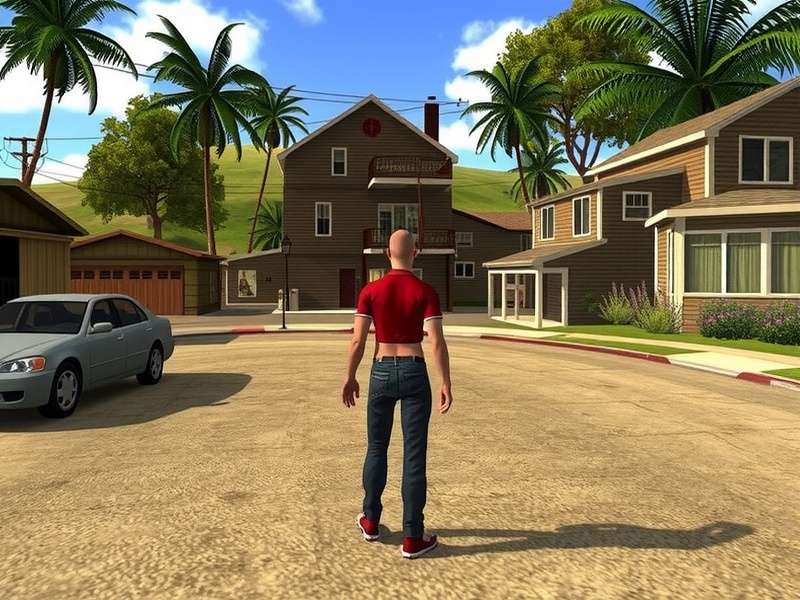
The boundless creativity of Second Life Residents shapes every corner of the metaverse. (Conceptual representation)
1. What Does "Access Second Life" Truly Mean? Beyond the Login Screen
For over two decades, Second Life has stood as the pioneer of persistent virtual worlds. Unlike game-centric platforms, access here grants you a digital citizenship. It's a continuum encompassing your avatar's creation, your home space, your social graph, and your economic footprint. Let's dismantle the process.
1.1 The Foundational Pillars of Access
True access rests on four pillars:
- Account & Identity: Your Second Life account is your passport. It's more than a username; it's your display name, legacy name, and the seed of your digital reputation.
- The Viewer (Your Window In): This is your client software. The default Linden Lab viewer is just the start. Power users often opt for third-party viewers like the acclaimed Alchemy Viewer for Second Life, known for its performance boosts and enhanced rendering.
- The Dashboard (Your Control Panel): Often overlooked, the web-based Second Life Dashboard is where you manage billing, land, accounts, and settings outside the main client. It's critical for holistic access management.
- Economic & Social Gateways: Access to the Second Life Marketplace shopping hub and communities like those found on PrimFeed completes the circle, turning entry into engagement.
2. Step-by-Step: Creating Your Account and First Login
The journey begins at the official portal. We'll walk through each decision point.
2.1 Choosing Between Basic and Premium Accounts
A Basic account is free and provides full access to the world's content and social features. Premium (starting at £6.50/month) adds a weekly Linden dollar stipend, a Linden Home, and expanded support. For serious builders or socialites, Premium is a worthy investment.
2.2 The Critical First Download: Selecting Your Viewer
Upon account creation, you'll be prompted to download the viewer. The official Linden Lab viewer is stable and secure. However, communities of creators and explorers frequently recommend alternatives for a superior experience.
For instance, the Alchemy viewer for Second Life offers advanced lighting (ALM), faster loading times, and better resource management—key for accessing highly detailed regions. Other popular third-party viewers include Firestorm and Catznip, each with dedicated followings.
2.3 Your First Login & The Orientation Hub
Logging in for the first time deposits you at an Orientation Hub. Do not skip this. These areas teach fundamental movement, camera control, and interaction. While you might be tempted to teleport out immediately, completing these basics will prevent future frustration.
3. Mastering Your Digital Control Room: The Second Life Dashboard
Many new Residents neglect the web dashboard, accessing it only for Second Life Marketplace login. This is a mistake. The Second Life Dashboard is your account's mission control.
3.1 Key Dashboard Functions for New Users
- Account Summary: View your Linden Dollar (L$) balance, transaction history, and current membership tier.
- Land Manager: If you purchase or rent land, this is where you manage it. This is separate from in-world tools.
- Marketplace Management: Direct access to your store, sales, and listings, complementing the main Second Life Marketplace shopping experience.
Bookmark your dashboard. Regularly checking it can prevent surprises with land tiers or subscription renewals.
4. Economic Access: Navigating the Marketplace and In-World Economy
Second Life has a thriving, user-driven economy with a convertible currency (L$). Access to this economy is twofold.
4.1 The Second Life Marketplace: Amazon of the Metaverse
The Second Life Marketplace is a web-based storefront where creators sell everything from avatar skins to entire islands. A successful Second Life Marketplace login allows you to purchase items for immediate delivery in-world.
Shopping Strategy: Always check the "Marketplace" tab in-world for potential lower prices or exclusive in-world vendors. Some famous stores, like the whimsical Muffin Milkers in Second Life, might have unique in-world offerings not listed online.
4.2 Earning Linden Dollars: From Hobby to Business
Access isn't just consumption; it's creation. You can earn L$ by:
1. Creating and selling content (clothing, buildings, animations).
2. Providing services (hosting, scripting, landscaping).
3. Playing games of skill that pay out, like the popular Second Life: Silent Vengeance combat regions.
5. Social & Community Access: Finding Your Tribe
The world is vast. Tools like the in-world Search and Destinations guide are essential. Additionally, external sites like PrimFeed aggregate events, news, and spotlights, acting as a social compass.
Joining Groups: Groups are the cornerstone of social life. They provide chat channels, land access, and community. Don't just join one; join several based on your interests—from sailing to sci-fi roleplay.
6. Advanced Access: Viewers, Scripting, and Content Creation
For those who want to go beyond socialising, advanced access involves creation tools.
6.1 Why Power Users Choose Third-Party Viewers
We mentioned Alchemy Viewer earlier. Its appeal lies in raw performance. In regions with complex geometry and high avatar counts, frame rate is king. Alchemy's optimisations provide smoother access to these demanding spaces.
6.2 The Building Tools & Scripting (LSL)
Every object can be opened, edited, and scripted using Linden Scripting Language (LSL). This is deep access—the ability to animate, automate, and interact with the world on a logical level. Countless free tutorials exist in-world to get you started.
7. Troubleshooting Access: Common Hurdles and Solutions
Login Failures: Often relate to an unstable connection or viewer cache corruption. Clearing your viewer's cache is a common fix.
Payment Issues: Always ensure your payment method on file is current via the Dashboard.
Access Denied to Parcels: Respect landowner rules. If banned, you'll need to contact the parcel owner to resolve.
Gaining comprehensive access to Second Life is an ongoing journey of discovery. It begins with a simple sign-up but expands into managing a digital identity, economy, and social presence. By leveraging tools like the Dashboard, choosing the right viewer like Alchemy, and engaging with the economy via the Marketplace, you transform from a visitor into a bona fide Resident.
The links throughout this guide—from PrimFeed for community to Silent Vengeance for entertainment—are your curated on-ramps. Your adventure is just a login away.
Share Your Experience & Questions
Have a tip about accessing SL? Facing a hurdle? Share with the community.