Second Life Gameplay Beginners: Your Ultimate Starter Guide to the Metaverse 🌍
Welcome to the definitive guide for newcomers to Second Life, the pioneering virtual world that's been buzzing for nearly two decades. Whether you're here to socialise, create, explore, or even earn real-world income, this guide will help you navigate the initial learning curve and unlock the full potential of your digital second life. Let's dive in, noob-friendly! 😊
1. What Exactly is Second Life? Beyond the Hype
Second Life (often abbreviated as SL) isn't a traditional game with quests or levels. It's a user-generated 3D virtual world—a metaverse where residents (that's you!) create the content. Think of it as a parallel digital universe with its own economy (Linden Dollars, or L$), geography, and social rules.
Unlike platforms like Roblox or Fortnite, Second Life is primarily for adults and thrives on creativity, commerce, and connection. You can find everything from stunning fantasy landscapes and bustling nightclubs to educational simulations and business meetings. The key is agency: you decide what your Second Life will be.
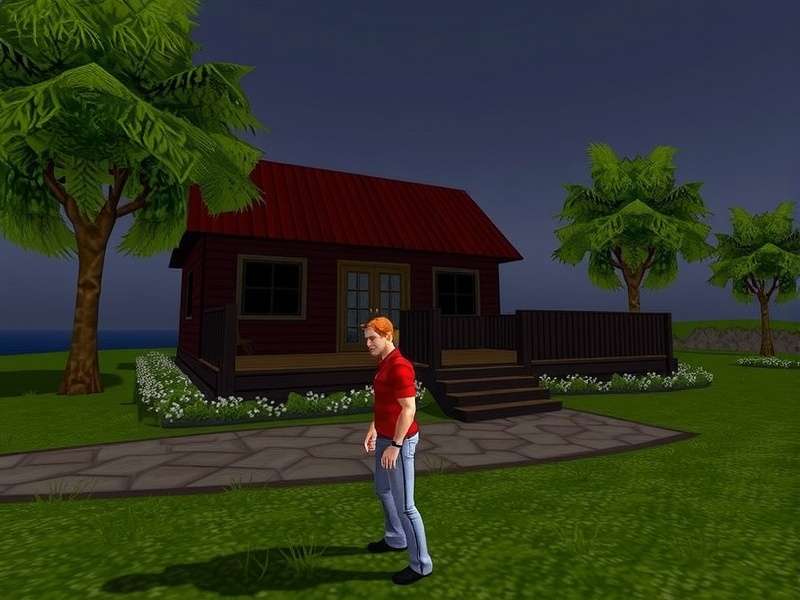
A snapshot of the diverse experiences awaiting in Second Life – from social hubs to breathtaking vistas.
1.1. Core Concepts You Must Grasp
- Avatar: Your digital representation. This is more than a character; it's your virtual body, highly customisable from head to toe.
- Linden Dollars (L$): The in-world currency. You can buy L$ with real money (USD) on the Second Life Com LindeX exchange or earn them within SL.
- Regions/Sims: The virtual land. Parcels of land are hosted on servers called "simulators." Some are private estates, others are Linden Lab-owned.
- Inventory: Your personal storage for all items – clothes, animations, buildings, textures. It's stored server-side, so you can access it from any viewer.
- Viewer: The client software you use to access Second Life. The official Second Life Viewers from Linden Lab are a good start, but many residents prefer third-party viewers like Firestorm for advanced features.
2. First Steps: Creating Your Avatar and Getting Around
Your journey begins at Secondlife Com where you sign up for a free account. Choose your starter avatar name carefully—while display names are changeable, your username (e.g., "JohnDoe Resident") is permanent.
Pro Tip: Don't stress over your initial "Ruth" or "Roth" avatar look. Every new resident starts with a basic appearance, but the first hour should be spent upgrading your avatar. We'll show you how.
2.1. Avatar Customisation: From "Noob" to "Wow"
The default avatar is functional, but to truly blend in and express yourself, you need to understand the modern avatar ecosystem:
- Mesh Body/Head: The standard now. Brands like Maitreya, Legacy, and Belleza for bodies, and Lelutka Redelivery for heads are industry leaders. They offer realistic proportions and detailed skins. You'll usually buy these with L$.
- Skin, Hair, & Outfits: These are separate purchases/applications. Marketplaces like the Second Life Store or in-world events are your go-to sources.
- Bento & Animation Overrides (AO): Bento allows more natural skeletal animations (like finger movements). An AO replaces default stands/walks with more fluid animations.
A fantastic resource to track the best deals and new releases is the Seraphim Second Life Website, which aggregates sales and event news.
3. Mastering the Interface and Movement
The viewer interface can be overwhelming. Start with these basics:
Movement Controls:
- WASD or arrow keys to walk.
- Right-click + drag to rotate your camera.
- Mouse scroll wheel to zoom in/out.
- Fly by pressing 'F'. Press again to land.
Use the Mini-Map (bottom right) to navigate. The World Map (Ctrl+M) lets you teleport anywhere by entering region names or coordinates.
4. The Social Heartbeat: Making Friends and Avoiding Faux Pas
Second Life is profoundly social. Here's how to connect:
- Local Chat: Typing in the main window talks to people nearby. Use '/' before a message to speak out loud (others will see a sound wave).
- IMs (Instant Messages): Private conversations. Can be one-on-one or in groups.
- Groups: Join groups of shared interests (music, roleplay, creation). You can join up to 42 groups for free, plus 25 with Premium.
Etiquette Tips: Always ask before touching another avatar's attachments or applying animations to them. Respect parcel privacy (blue lines indicate private land). Don't spam teleport requests.
5. The Linden Dollar Economy: Earn, Spend, Thrive
The L$ economy is real and vibrant. Here are ways to engage:
5.1. How to Earn Linden Dollars
- Creation: Build, script, design clothes, create animations, or make art. Sell your creations on the Marketplace or in-world shops.
- Employment: Work as a host, DJ, security, or model in clubs. Some landowners hire estate managers.
- Land Rental & Flipping: Rent land, develop it, and sublet parcels for profit.
- Gaming: Some roleplay sims or skill games offer L$ prizes.
Keep an eye on the Weekend Sales Second Life roundups to snag bargains for your business or avatar.
5.2. How to Spend Linden Dollars Wisely
Your first L$ purchases should be a quality mesh avatar and a stylish outfit. Then, consider:
- Home & Land: Renting a small parcel gives you a place to call Home Harem (your personal sanctuary).
- Experiences: Pay for entry to exclusive events, concerts, or themed sims.
- Transport: Cars, boats, planes, and even dragons!
Manage your finances via the Second Life Dashboard on the web, where you can buy L$, see transaction history, and manage your account.
6. Exploring & Finding Your Niche
The "Destination Guide" in your viewer is a curated starting point. But true exploration is teleporting to random places or following recommendations from friends.
Popular Starting Destinations:
- London City: A bustling UK-themed sim.
- Inspiration Island: Official Linden Lab learning area.
- Social Clubs: Search for "club" and filter by traffic.
- Roleplay Communities: Medieval, post-apocalyptic, cyberpunk – there's a sim for every genre.
7. Safety, Privacy, and Troubleshooting
Second Life is generally safe, but practice digital common sense:
- Privacy Settings: Adjust who can offer teleports, see you online, or send you inventory.
- Abuse Reporting: Use the report tool responsibly for harassment, griefing, or inappropriate content.
- Technical Issues: If you're experiencing lag, try reducing your draw distance and graphics settings. Ensure your viewer is updated. The Second Life community forums are a great resource for help.
Remember, Second Life is a vast, evolving platform. Your first week will be about learning the ropes, the first month about finding your crowd, and the first year about mastering your chosen path. Don't be afraid to ask for help—most residents are friendly to genuine newcomers.
This guide is just the beginning. Bookmark this page and check back as we update it with the latest tips, trends, and exclusive data from the metaverse. Welcome to your Second Life! 🚀