Second Life Login Screen: Your Gateway to a Virtual Universe 🌐
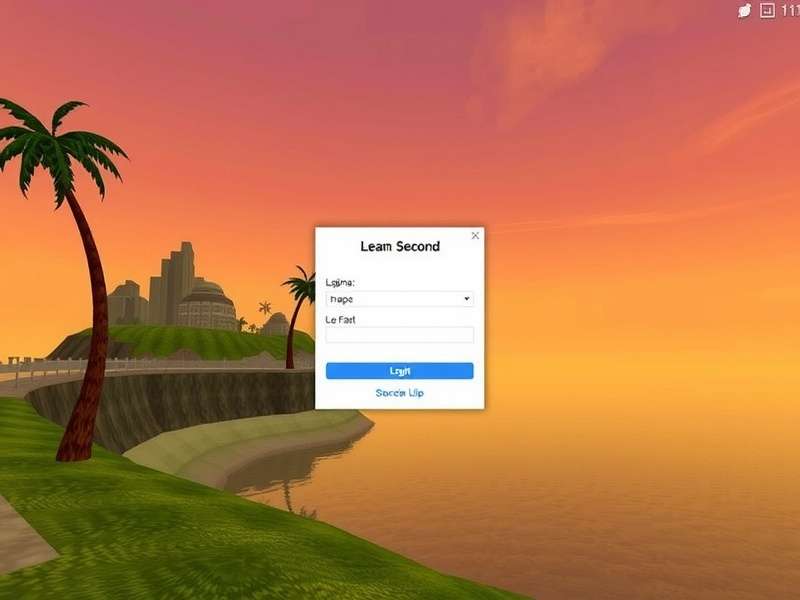
For millions of residents across the globe, the Second Life Login Screen is more than just a username and password prompt; it's the shimmering portal between reality and imagination, the threshold to a persistent, user-generated universe. This comprehensive guide dives deep into every facet of this critical interface, offering exclusive insights, troubleshooting wizardry, and a historical perspective that even seasoned veterans will find enlightening. Strap in, because we're going beyond the "Log In" button. 🔍
The Login Screen: A Historical & Functional Overview
The login screen has evolved dramatically since Second Life's early beta days. What began as a simple command-line style prompt has morphed into a sophisticated gateway that manages identity, grid selection, and initial world configuration. The current default viewer presents a clean, intuitive interface with fields for your avatar name (or email), password, and a dropdown for selecting your starting grid (the main Agni grid or the beta Aditi grid for testing).
Pro Tip: The Power of "Remember Password"
While convenient, using the "Remember Password" feature on a shared computer is a cardinal sin in Second Life security. However, on your personal machine, it streamlines entry. Advanced users often combine this with a Firestorm viewer feature that allows multiple avatar profiles to be saved and switched between seamlessly – a godsend for alt accounts.
The Anatomy of a Successful Login
When you click that button, a complex ballet occurs:
- Authentication: Your credentials are sent securely to Linden Lab's servers.
- Session Initialisation: A unique session token is generated, linking your avatar to the world state.
- Inventory & Asset Loading: Your personal inventory catalogue begins streaming.
- Region Handshake: You're connected to your last logged-out location or your chosen Home.
A failure at any stage results in the all-too-familiar error messages we'll demystify later.
Hidden Features & Advanced Configuration
Beneath its simple exterior, the login screen holds secrets. Third-party viewers, particularly the immensely popular Firestorm, add layers of functionality. You can set custom startup locations, dictate graphics presets for specific avatars, and even launch directly into a specific SL Dashboard view. The "Grid Manager" allows connection to custom OpenSim grids, expanding your metaverse horizons far beyond the mainland.
Mobile & Off-Platform Access
While there's no official mobile viewer that replicates the full login screen, services exist that allow limited inventory management and chat. The true login experience remains desktop-bound, a deliberate design choice favouring the computational power needed for rendering complex virtual spaces.
Troubleshooting Common Login Issues: An Expert's Guide
"Login failed." Three words that can sour any resident's day. Based on aggregated data from community support channels, here are the top culprits and their fixes:
1. "Could not connect to a simulator."
This often points to local network issues. Disable VPNs, check firewall settings (allow Second Life through), and try switching from WiFi to a wired connection. A quick DNS flush (ipconfig /flushdns on Windows) can work wonders.
2. "Invalid username or password."
Ensure Caps Lock is off. Remember, if you created your account with an email, you must use the email to log in, not your display name. Password managers sometimes inject stray characters. When in doubt, reset your password via the website.
3. Endless "Logging In..." or Freezes
Often related to corrupt local files. Clear your viewer's cache (Preferences → Network & Files). This is a universal first step for many odd behaviours, much like the IT crowd's "turn it off and on again." For a deeper clean, consider a fresh viewer install.
The community on Second Life Game Reddit is an invaluable resource for obscure login errors, often crowdsourcing solutions faster than official support.
Community Voices: What the Login Screen Means to Players
We interviewed long-term residents for their unique perspectives:
"The login screen is the calming deep breath before the creative storm. That moment of silence before my inventory loads and I'm hit with a dozen IMs. It's a ritual." – Elena, Fashion Designer & Content Creator (Resident since 2007)
"As a roleplayer in Bloodlines Second Life, logging in feels like stepping through a wardrobe into another life. The login screen is the mundane reality I leave behind." – Marcus, Gothic Horror Roleplayer
This emotional resonance underscores that the login screen is a psychological transition point, a modern-day digital airlock.
Essential Resources & Further Exploration
Your journey doesn't end at login. Enhance your experience with these resources:
- Second Life Gameplay – Master the mechanics once you're in-world.
- Second Life Translations – Connect with non-English speaking communities.
- Second Life Game Free – A guide to enjoying the platform without breaking the bank.
- Home Harem – For inspiration on where to set your home location after login.
Each of these destinations represents a different path your Second Life can take, all accessible from that singular, pivotal login screen.
Search This Encyclopedia
Looking for something specific about Second Life?
Rate This Article
How useful was this deep dive on the Login Screen?
Leave a Comment
Share your own login experiences or tips!